🔒 Forgot Your Password? Here's How to Recover Your GBC3 Account Quickly
Leave Comment/ By D /May 1, 2025
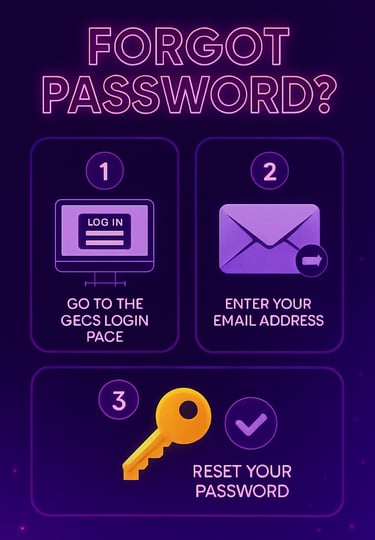
🛠️ Step 1: Visit the GBC3 Login Page
Go to the official GBC3 website and click the “Login” button at the top right. Just below the login fields, you’ll find the “Forgot Password?” link—click on it to begin the recovery process.
📧 Step 2: Enter Your Registered Email or Mobile Number
You'll be asked to input the email address or mobile number linked to your GBC3 account. Be sure the information you provide matches what was used during registration to avoid delays.
🔑 Step 3: Receive Reset Instructions
Once verified, GBC3 will send a password reset link or verification code to your registered contact method. Follow the instructions carefully to create a new, secure password.
✅ Step 4: Set Your New Password
Choose a strong and unique password—one that combines letters, numbers, and symbols for maximum security. After submitting your new password, you’ll be redirected to the login page to access your account with updated credentials.
💡 Pro Tips to Avoid Password Issues
Enable the “Remember Me” option on secure, personal devices for quick login.
Keep a secure backup of your credentials using a password manager.
Never share your password with anyone—even support staff will never ask for it.
💬 Need Extra Help?
If you’re unable to reset your password or face issues with recovery, GBC3 offers 24/7 customer support via live chat, email, and messaging. Our team is ready to assist you anytime, ensuring you’re never locked out for long.
🔐 Stay Secure, Play Confidently
Your security is our top priority. At GBC3, we use advanced encryption and verification to keep your account protected—especially during password resets. Regain access in minutes and get back to enjoying your favorite casino games, worry-free.
Get in touch
Let's Talk
info@gbc3.com.ph

ALL RIGHTS RESERVED 2025